
Priviot Notes Free
Local core features without a required account.
€0 / month
Free local use.
Download Free- Local notes, to-dos, search and reminders
- Encryption, local backups and export
- Basic Notes–Tasks integration
 Priviot Notes · Available for macOS and Windows
Priviot Notes combines locally encrypted notes with to-dos, reminders, projects, tags, and a calendar overview – without automatically transferring personal content to a cloud.
Usable locally without an account. Encrypted sync requires a paid Pro or Suite subscription.

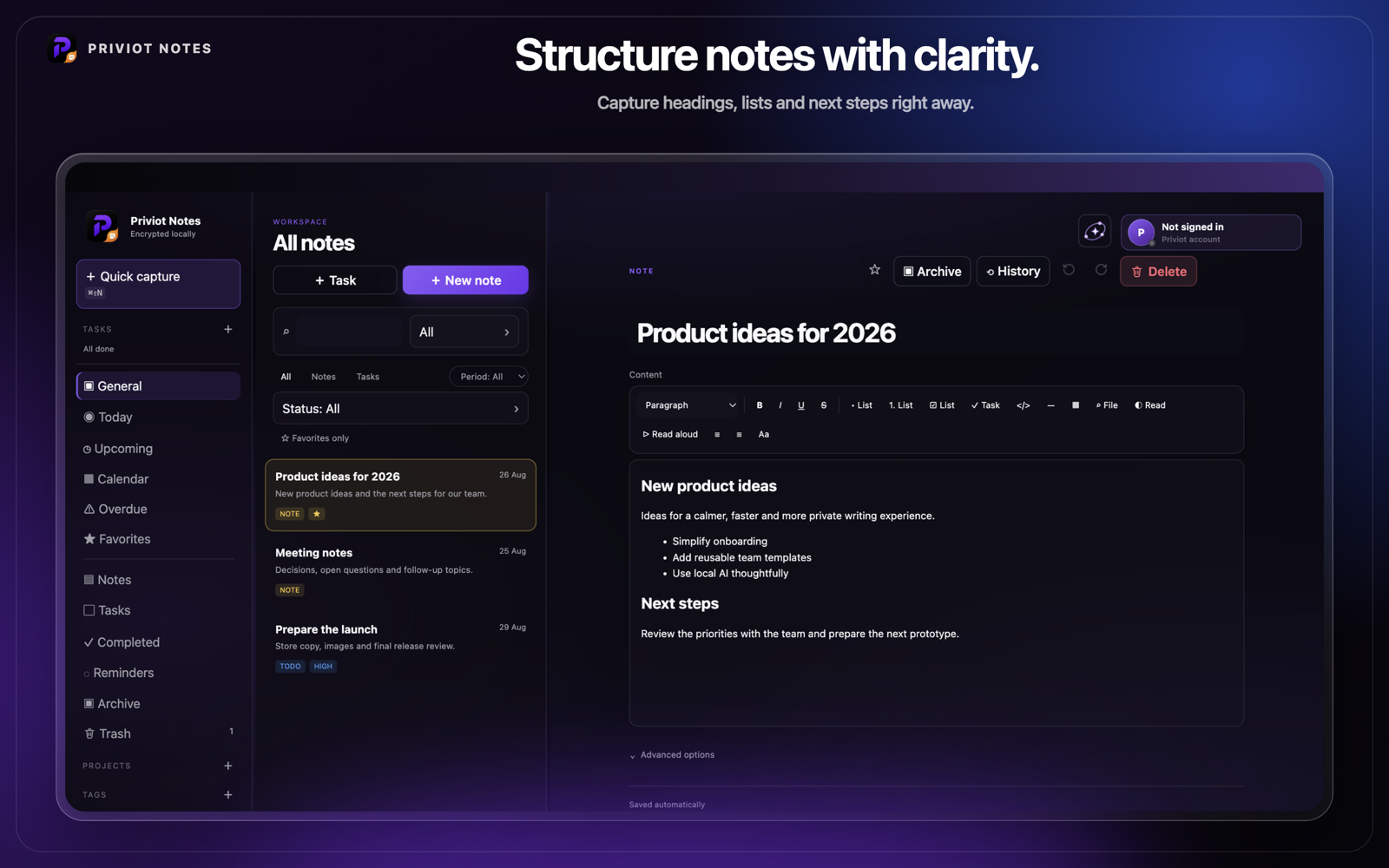
Organize notes, tasks, and reminders with projects, tags, and search — for quick orientation and a clear overview.
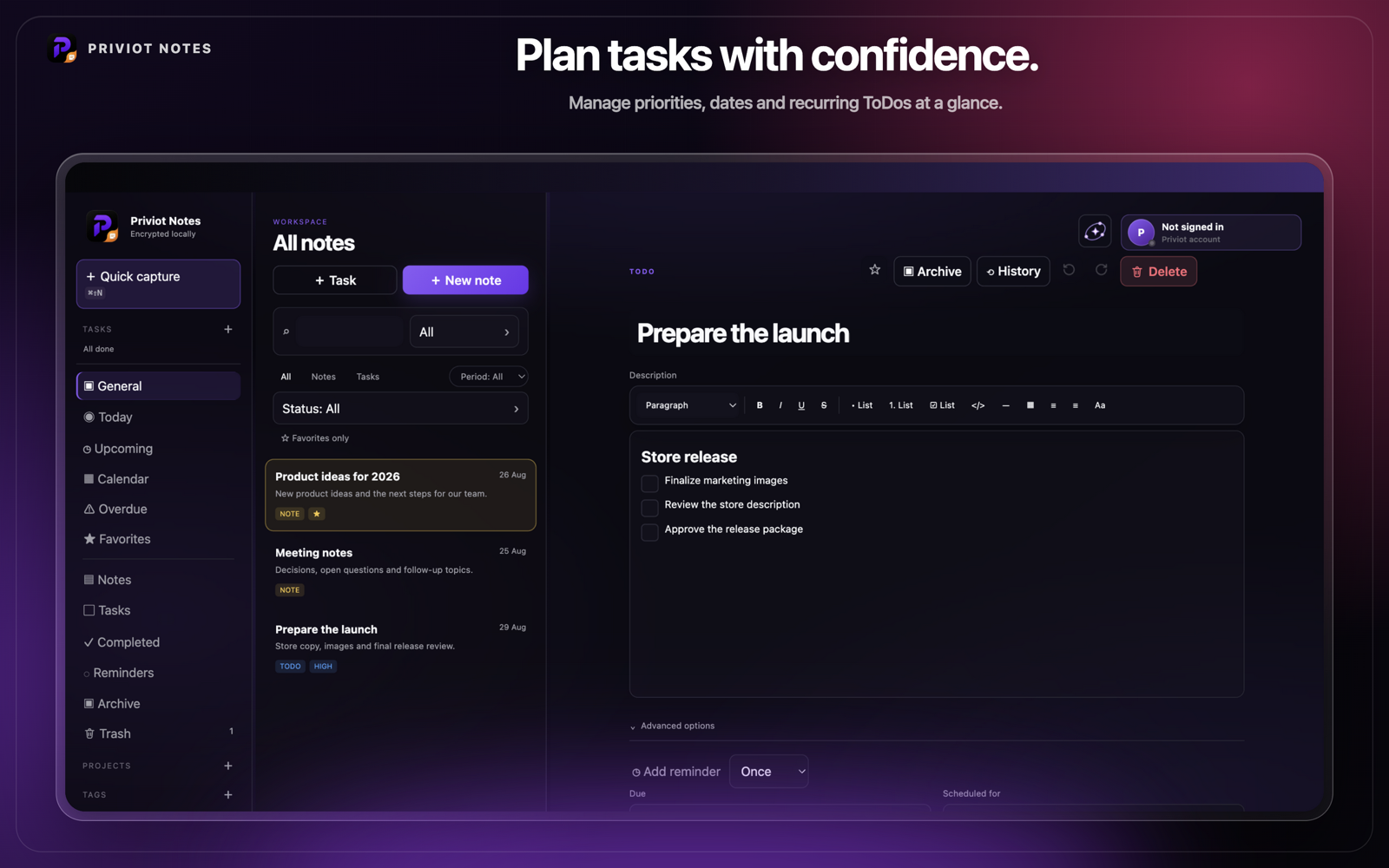
Capture ideas, tasks, and reminders instantly — with quick capture, inbox, and a clear structure for your day.
Priviot Notes works locally without an account. Cross-device encrypted sync requires a paid Pro or Suite subscription. In the future model, new devices would require device approval or recovery.
Content is encrypted on your device before being stored in the sync system.
Sync is planned to require a paid Pro or Suite subscription and a Priviot account.
Changes can be traced locally, and deleted notes go to the trash first.
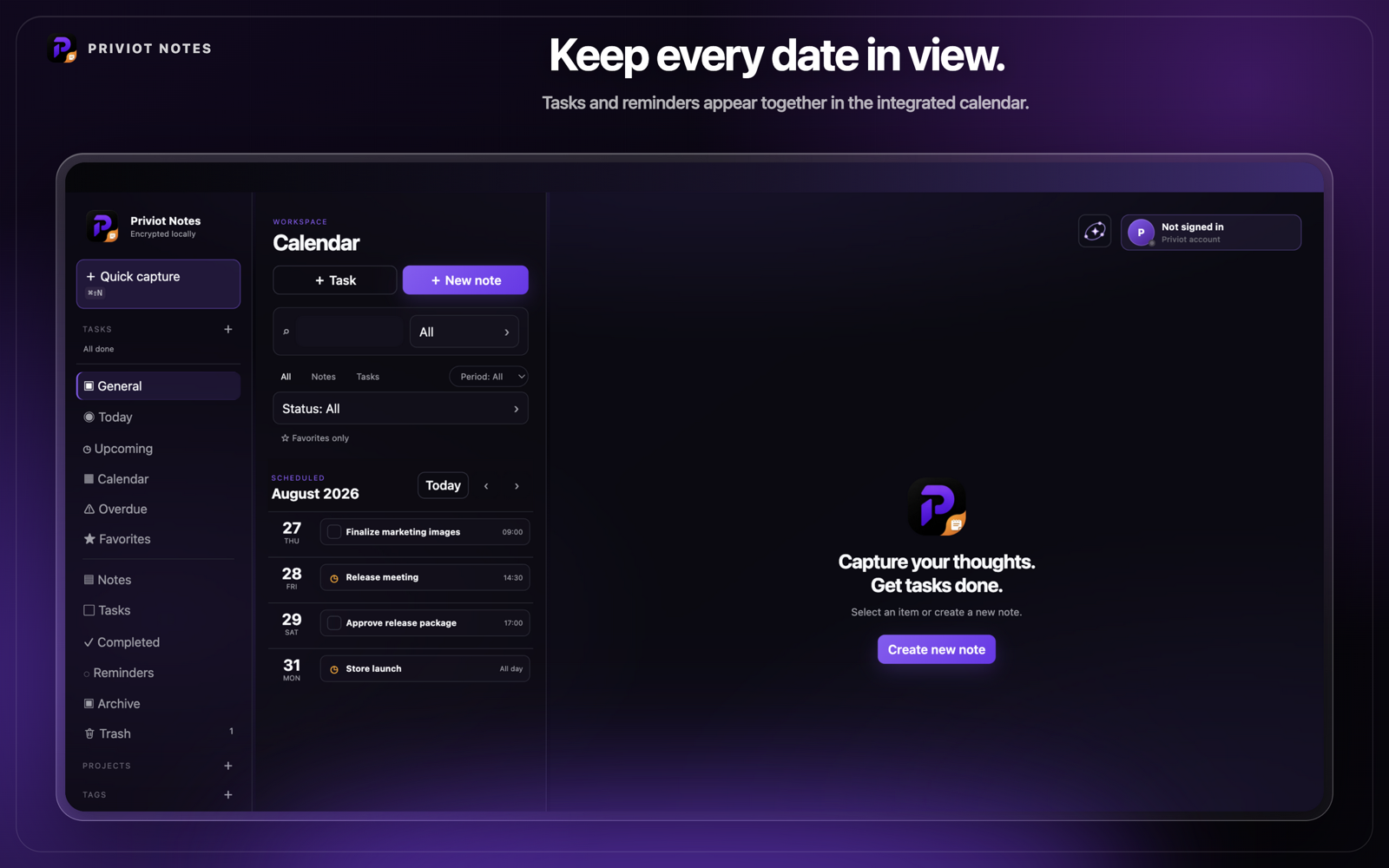
See scheduled tasks and selected calendars in one overview without giving up your local workflow.
Priviot Notes is the notes app that combines flexible writing with clear local organization.
Paragraphs, headings, lists, and formatting for flexible notes.
Due date, priority, status, and recurring reminders.
Bundle notes and tasks by topic, filter, and find them again quickly.
View selected calendars locally and add to-do reminders when needed.
Save recurring note structures as a template and reuse them quickly.
Search titles, content, tags, and projects through a locally built index.
Automatically schedule open tasks into a daily time budget, prioritized by due date and status.
Export passphrase-protected backups and restore them on another device – independent of sync.
See and remove connected devices; sync conflicts are shown visibly instead of being silently overwritten.
Optionally co-edit notes with roles, presence, comment threads, and versions; content is synchronized in encrypted form.
Keep tasks and notes in view directly on the desktop or in the notification center.
Start with local core features. Compare the planned Pro extras.
Local core features without a required account.
€0 / month
Free local use.
Download FreeAll Free features plus advanced tools and online services.
€2.49 / month
€29.88 every 12 months.
View plan detailsRequires a Priviot account.
Paid subscriptions cannot currently be purchased. Prices and Pro features describe the planned plans.
Recommended: Priviot SuitePro features for PDF, Write, Paste, Notes and Tasks →Local core features require no account. Optional sync is enabled deliberately.
Version 1.3.0 · AvailableReleased: 28 August 2026
iOS
Planned
Linux
Planned
Android
Planned
Short answers to what's asked most often about Priviot Notes.
No. Priviot Notes stores notes locally and encrypted on your device. Synchronization requires a paid Pro or Suite subscription.
No. Local core features do not require an account. Synchronization requires a paid Pro or Suite subscription.
Yes. Priviot Notes is available for macOS and Windows, Windows via the Microsoft Store. An iOS version is planned; a date will only be announced once it is firm.
Synchronization requires a paid Pro or Suite subscription.
Priviot Notes offers a free basic feature set. Advanced features may be offered as paid later.
Via the feedback page – linked in the menu above and in the footer under "Contact." Priviot reads every message personally.
Priviot uses technically necessary cookies and similar storage technologies, for example to keep you signed in. More details in the privacy policy.